
The iTechworld Connect Bluetooth app brings compatible power stations, lithium batteries and eight-gang switch panels into one phone-based control centre. It is designed for touring, caravans, campers, boats, work vehicles and other off-grid setups where checking battery status and controlling loads quickly matters.
How to download the Connect App
The iTechworld Connect app is available on both Apple (iOS) and Android.
- Open the App Store or Google Play Store
- Search for "iTechworld Connect"
- Download and install the app
- Ensure Bluetooth is enabled on your device and the app has permission to use Bluetooth
What does the iTechworld Bluetooth app do?
The app lets you add compatible iTechworld Bluetooth products and access them from a single device list. You can create a profile, retain connected products for easier access later and rename each item so it is clear which battery, power station or switch panel you are managing.
Depending on the connected product, the app provides:
- Battery percentage and live status information
- Voltage, current and wattage readings
- Estimated remaining runtime based on the active load
- Control of selected outputs and accessories
- Charging and standby settings for compatible power stations
- Battery charge and discharge isolator controls
- Custom names, icons and lighting settings for the Bluetooth eight-gang switch
The app is also compatible with Apple CarPlay and Android Auto, allowing supported iTechworld devices to be accessed through compatible in-vehicle systems.
Which iTechworld products connect to the app?
Bluetooth compatibility is available across selected iTechworld product ranges. Before attempting to pair a product, confirm that the individual model is Bluetooth-enabled.
Compatible power stations
Compatible power stations include models from the PS2000, the new PS2800 and the new PS3600 range referenced for app connectivity. Power-station controls focus on output management, live load monitoring and configurable charging and operating preferences.
Compatible lithium batteries
The app supports the iTechworld X battery range, from the 120X through to the 400X Pro. It also supports the slim battery range, including the 50SS, 100SS, 200SS and 300SS, as well as the Ultra Slim range.
Bluetooth eight-gang switch panel
The Bluetooth-compatible eight-gang switch panel can control up to eight 12V loads. It is suited to systems with accessories such as fridges, lights, pumps, chargers or control hubs that need individually managed circuits.
How to connect an iTechworld device to the app
The connection process is straightforward, although batteries and power stations can be added slightly differently.
- Open the iTechworld Connect app and sign in or create a profile.
- Select Add a device.
- For a nearby power station, choose the detected product from the available devices and confirm the connection.
- For a compatible battery, use the app’s QR-code scanning option to scan the battery’s code.
- Open the newly added product from your device list.
- Rename the device with a useful label, such as “Caravan house battery”, “Rear fridge battery” or “PS2000”.
Creating clear names is especially useful when several batteries or power devices are installed in the same vehicle, caravan or work setup. It reduces the risk of adjusting the wrong unit.
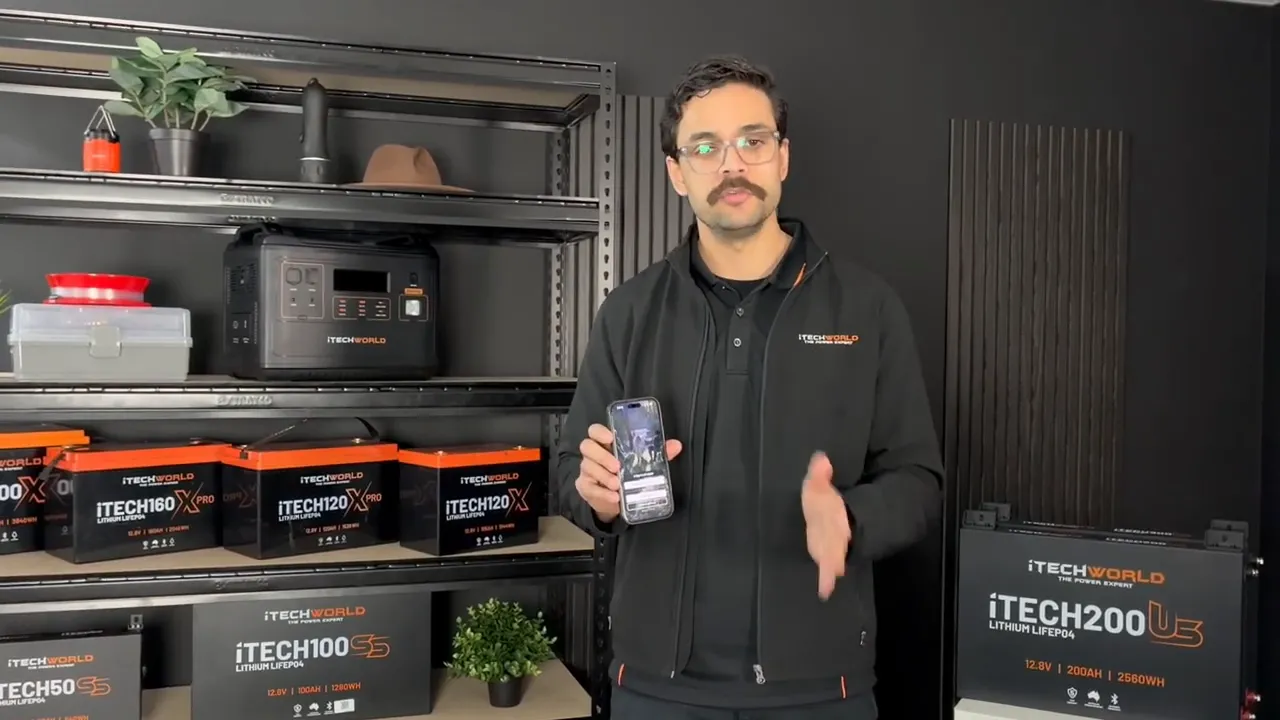
Power station controls and live monitoring
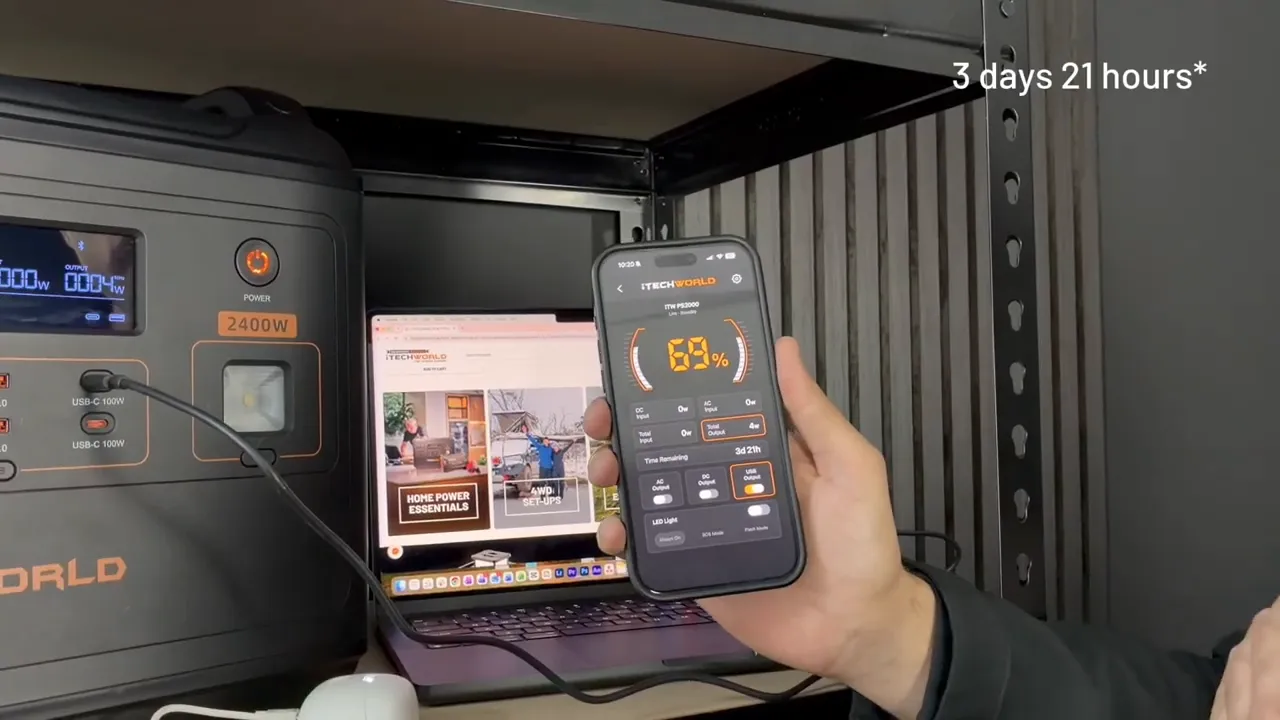
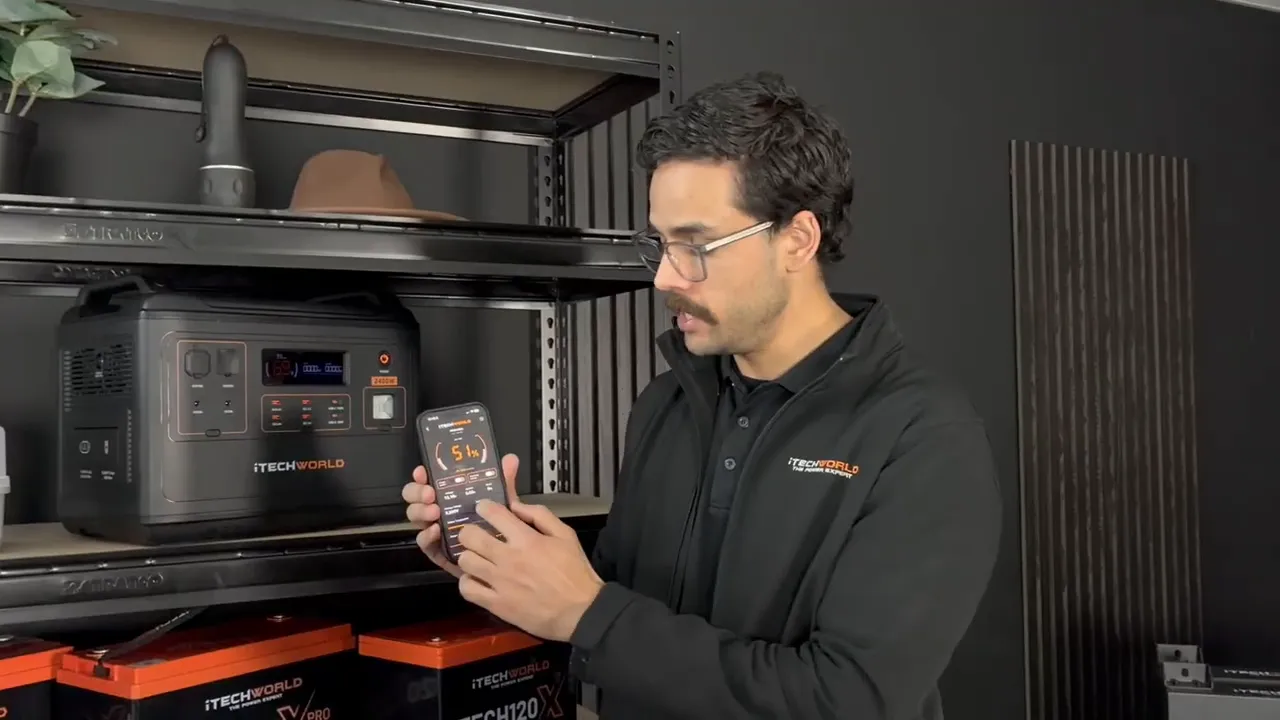
When a compatible power station is connected, its main screen displays the current battery percentage and gives access to its available output groups. On a compatible unit, this can include AC, DC, USB and built-in LED light controls.
This makes it possible to isolate an output group without physically operating the power station. For example, turning the USB output off stops charging connected USB devices, while turning it back on restores power to that output.
See live load and estimated runtime
With appliances connected, the app shows the amount of power currently being drawn. It also provides an estimated time remaining based on the power station’s present battery level and active load.
Runtime is not a fixed number. It changes when an appliance is switched on or off, or when a device changes its power demand. Use the estimate as an active planning tool rather than assuming it will remain constant throughout the day.
Control the built-in LED light
For compatible power stations with an integrated light, the app can activate the LED and select between its available modes:
- Always on for continuous light
- Flash mode for intermittent illumination
- SOS mode for an emergency signal pattern
Power station charging and protection settings
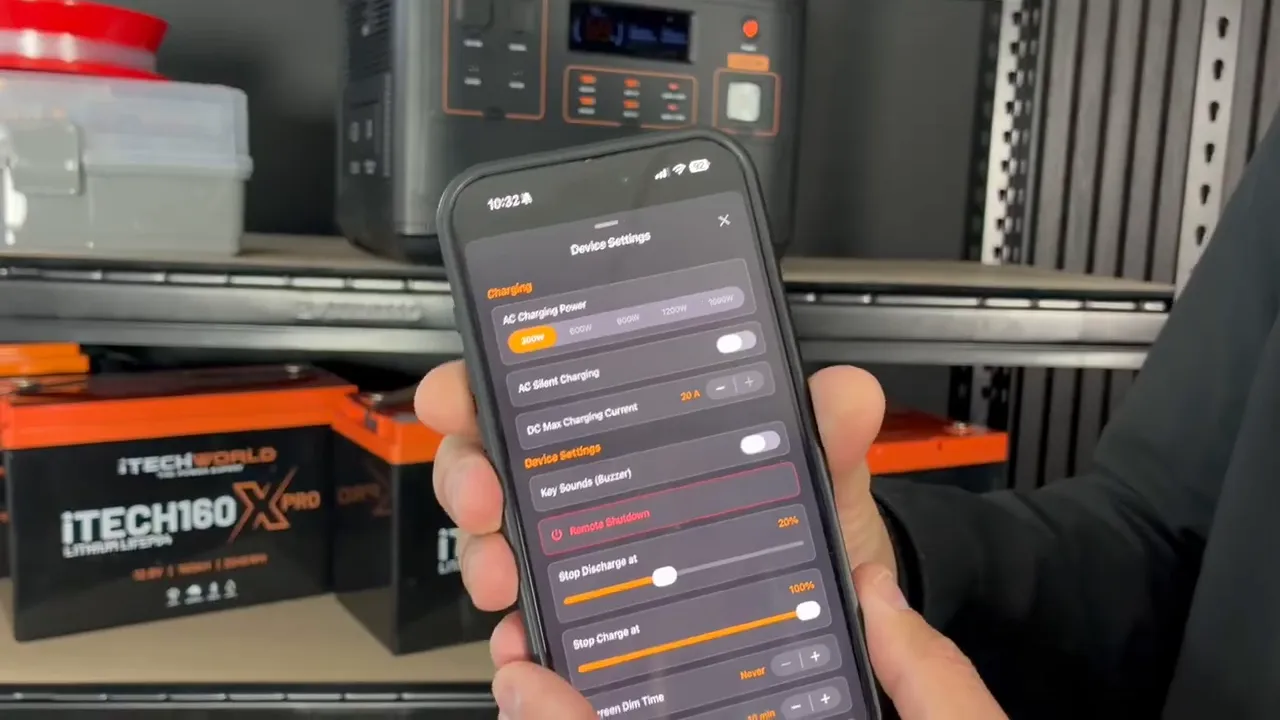
The app’s settings area provides more than basic on and off control. Compatible power stations can be configured for the charging source, preferred operating limits and standby behaviour.
Adjust AC and DC charging input
On compatible models, you can change how many watts the power station accepts while charging. This is useful when charging from a smaller generator or an inverter with limited output capacity, because it allows the charging demand to be reduced rather than overloading the source.
DC charging input can also be adjusted through the available charging settings.
Use silent AC charging when noise matters
Compatible units include an AC silent-charging setting. This reduces fan noise while the power station is being charged, which can be useful when the unit is located near a sleeping area.
Set charge and discharge limits
Device settings allow compatible power stations to be configured with a preferred upper charging percentage and lower discharge percentage. These limits can help prevent the unit from charging to a chosen maximum or discharging down to an unwanted level.
A lower discharge threshold is particularly useful when you want to preserve stored capacity for an essential appliance or the next stage of a trip.
Configure timers and standby duration
Additional settings can control screen dimming, automatic output shut-off after a load disconnects and how long the power station or its outputs remain active without a detected load.
This setting can be important for a fridge. A fridge compressor cycles on and off, so an output that shuts down immediately when the compressor pauses may not be available when the fridge needs power again. Setting an appropriate standby duration keeps the output ready through normal appliance cycling.
How to monitor an iTechworld lithium battery
The battery dashboard provides a more detailed view of a connected 12V battery’s condition and activity. After pairing, the app can show:
- State of charge as a percentage
- Battery voltage
- Live current reading
- Live wattage reading
- Estimated remaining time at the current load
- Battery temperature
- Individual cell voltages
These readings help distinguish between a battery that is simply low on charge and a system that is drawing more power than expected. When charging or discharging is taking place, the current and wattage values provide immediate context for what the system is doing.
Charge and discharge isolators
Compatible batteries provide charge and discharge isolator controls in the app. These controls allow the charging side and load side to be managed independently where supported by the battery.
Check the battery status screen before changing an isolator setting, particularly in systems powering essential equipment. Isolating discharge can stop connected loads from receiving power, while isolating charge can stop the battery from accepting incoming charging.
Control an eight-gang switch panel from your phone
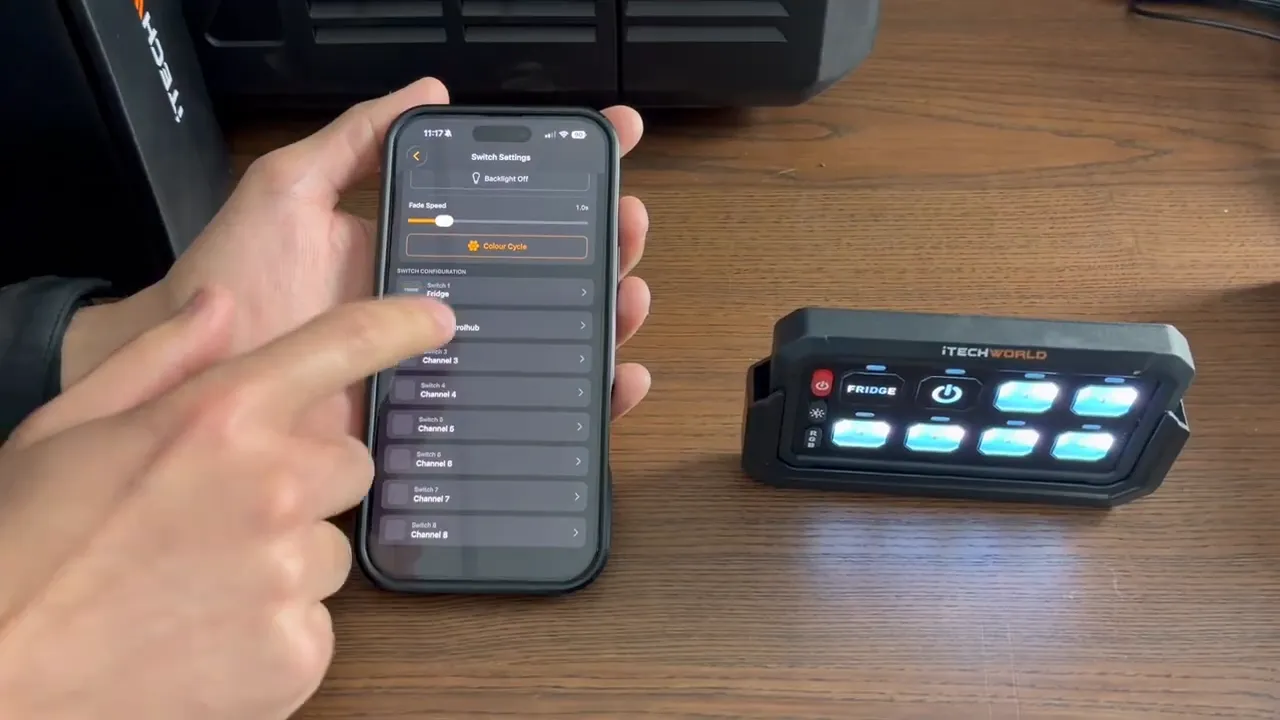
The iTechworld Bluetooth eight-gang switch panel provides control for up to eight separate 12V accessories. The app mirrors the panel layout, making it easier to identify and switch individual loads on or off.
When the phone is used in landscape orientation, the switch controls align with the physical eight-gang panel layout. This is useful for quickly managing multiple circuits in a vehicle, canopy, caravan or off-grid installation.
Customise every switch
Each of the eight switches can be configured with a custom name and symbol. Rather than relying on generic switch positions, assign labels that match the actual installation, such as:
- Fridge
- Camp lights
- Water pump
- Air compressor
- Work lights
- USB hub
- Accessory socket
- Control hub
The panel backlight colour can also be changed in the app.
Practical setup checklist for a caravan or touring system
A few simple setup choices can make the app much more useful in everyday use.
- Name devices by location and role: Use labels that make sense in your installation, not just the product model.
- Check live wattage before relying on runtime: A runtime estimate depends on the present load.
- Set output standby thoughtfully: Allow enough time for cycling loads such as a fridge to restart without losing power.
- Reduce charging input when required: Match the charging demand to the capability of a smaller generator or inverter.
- Set a discharge limit for reserve capacity: This is useful when you need to keep power available for a priority load.
- Label every switch circuit: Clear names and symbols reduce confusion when operating an eight-gang panel.
- Review battery temperature and cell voltage: These readings provide additional visibility beyond a simple percentage display.
Common mistakes to avoid
1. Assuming all iTechworld products have Bluetooth
Bluetooth functions apply to compatible product ranges and models. Confirm compatibility before expecting an item to appear in the app.
2. Using generic names in a multi-device system
A list containing several similarly named devices is difficult to use when you need to make a quick decision. Rename each device as soon as it is paired.
3. Treating runtime as a guaranteed result
The remaining-time calculation is based on current conditions. Connecting another appliance, switching an output on or changing a device’s demand will alter the estimate.
4. Setting standby too short for cycling appliances
If a DC-powered fridge temporarily stops drawing power, a short output standby setting may be unsuitable. Choose a duration that accommodates the appliance’s normal on and off cycle.
5. Changing isolators without checking connected loads
Before disabling charge or discharge on a battery, consider what is currently charging from or powered by that battery. This helps avoid unexpectedly stopping an important load or charging source.
Key takeaway
The iTechworld Connect Bluetooth app is most useful when it is configured around the way your system is actually used. Pair compatible devices, give them clear names, monitor real-time load data and apply suitable charging, discharge and standby settings. For systems with multiple 12V accessories, the eight-gang switch customisation adds another layer of convenient control from the same app.


